Job Methods
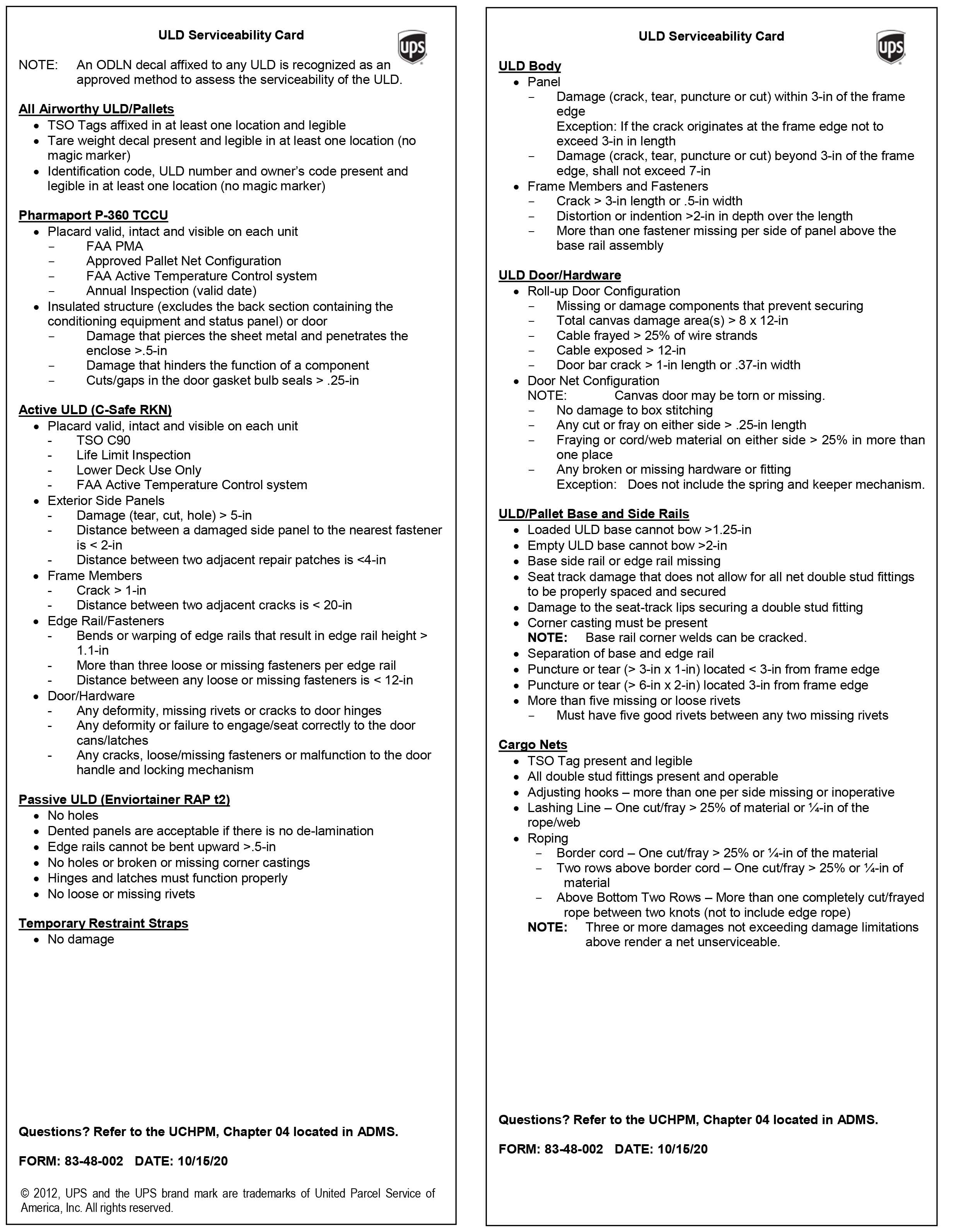
U.L.D. Serviceability Cardexpand_more
For convenience reference only. You are required to know where the physical U.L.D. Serviceability card is in your area.
Container Loadexpand_more
This comprehensive training video covers proper methods and safety guidelines to ensure secure and organized loading.
Container Unloadexpand_more
From handling smalls to team lifting irregs, this video equips you with the necessary skills to excel in the container unloading process.
Feeder Loadexpand_more
Learn the most efficient techniques for loading feeders, ensuring packages are securely braced for smooth transportation.
Feeder Unloadexpand_more
Discover how to safely unload packages from feeders, maintaining a focus on a sense of urgency and proper handling procedures.
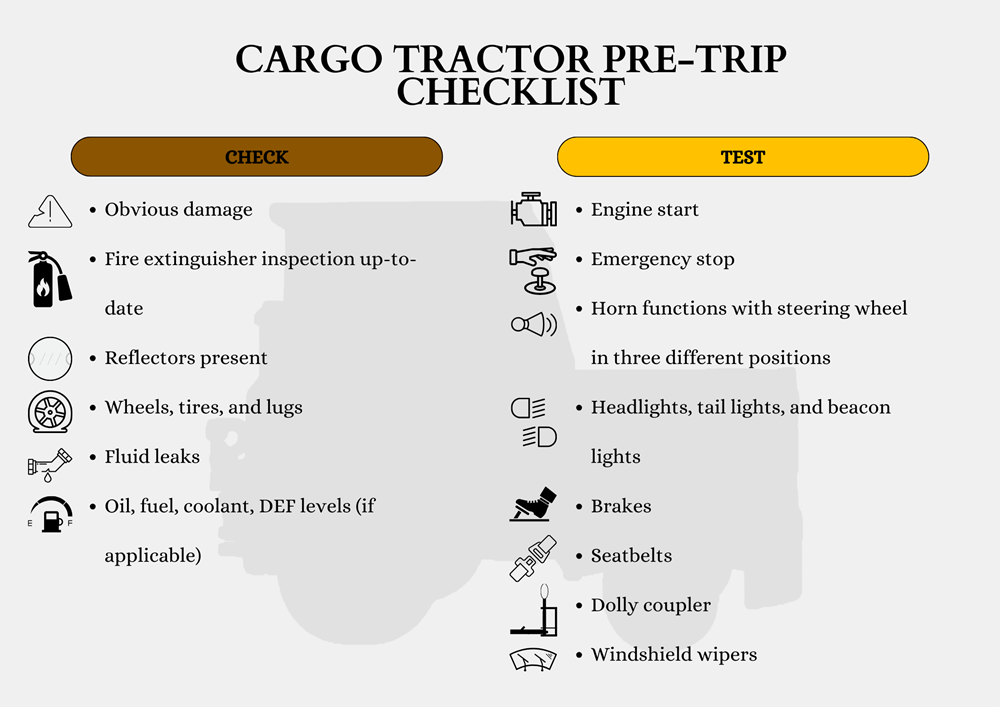
Cargo Tractor'sexpand_more
Pre-trip
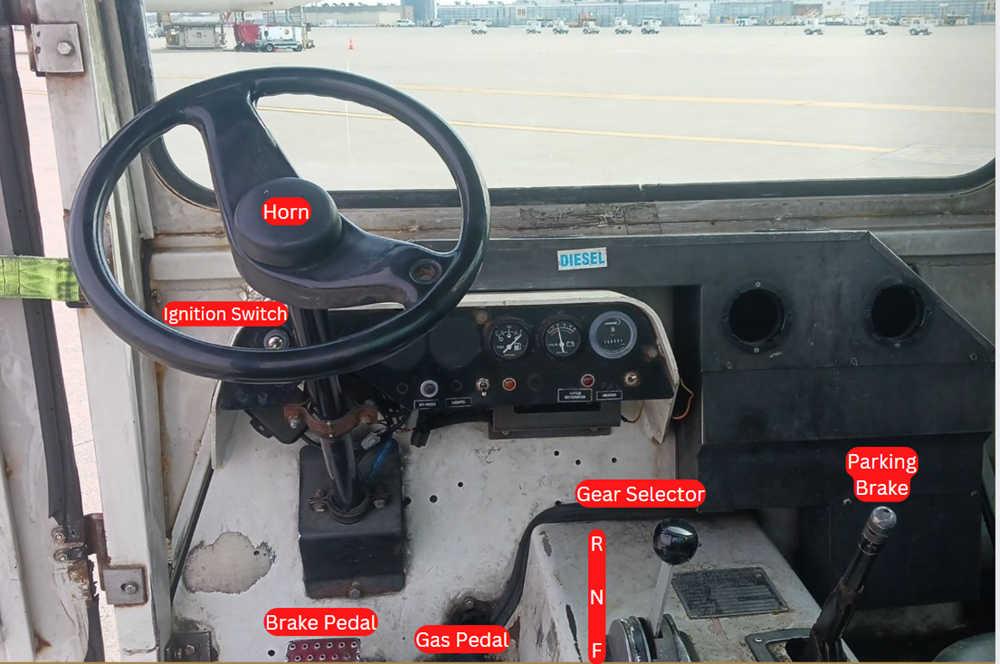
Controls
Dolly Safety Video
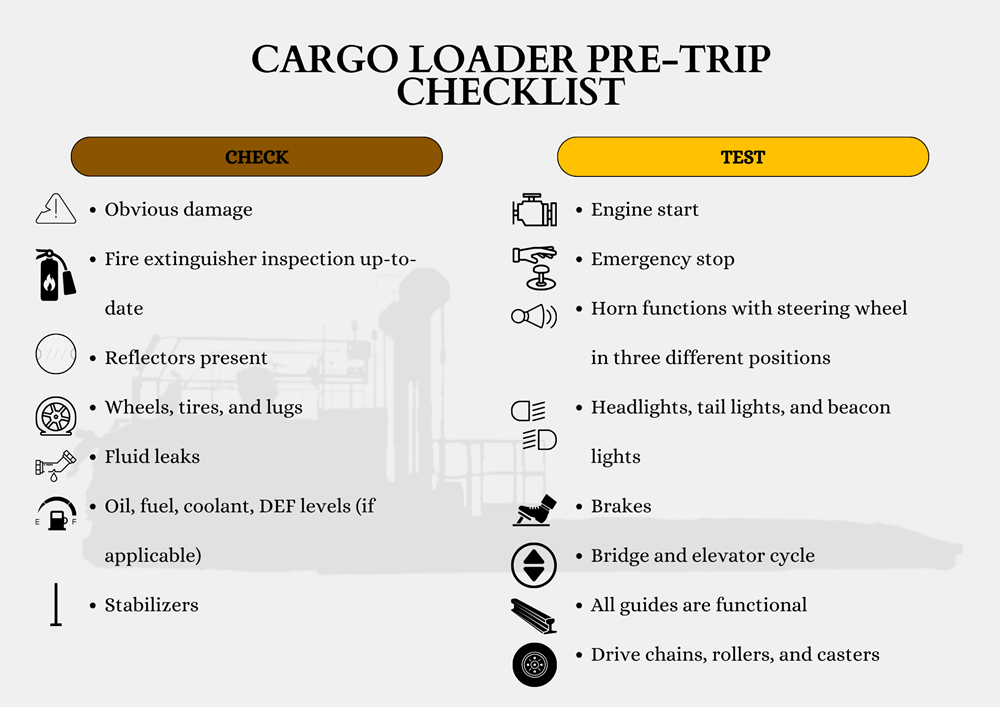
Cargo Loader'sexpand_more
Pre-trip
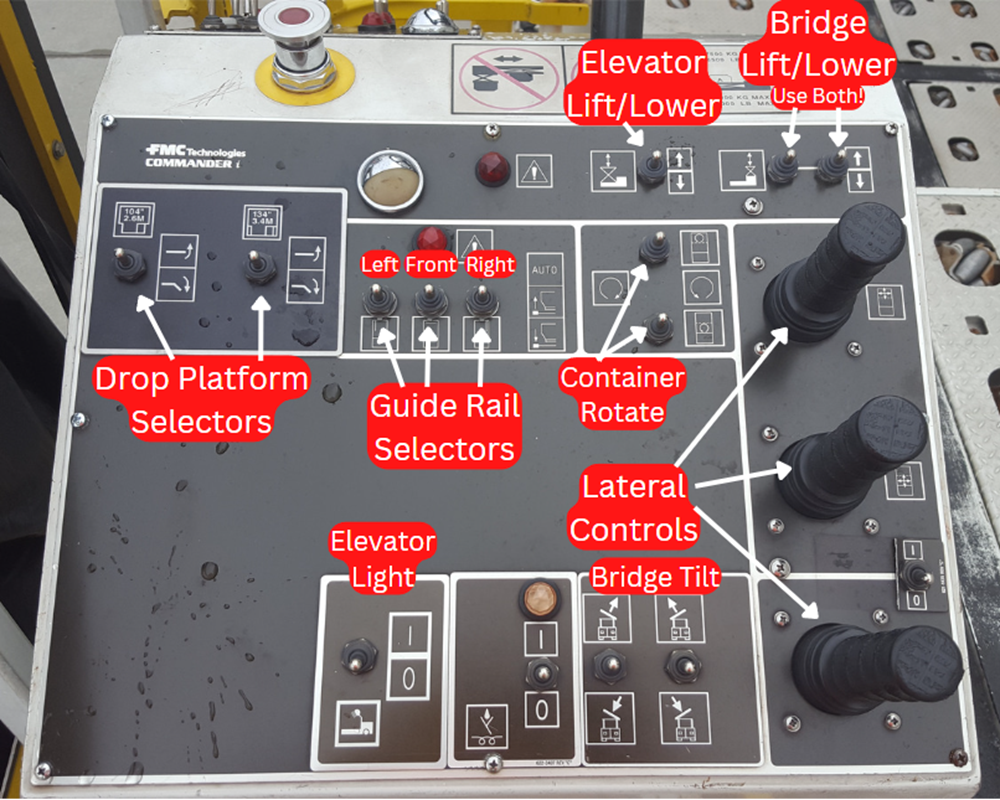
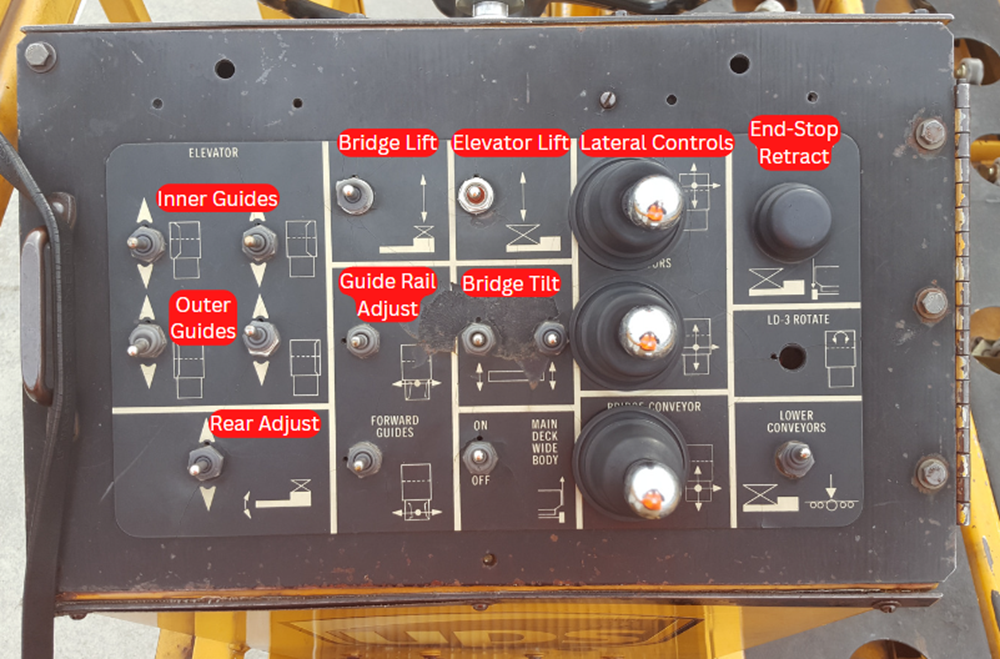
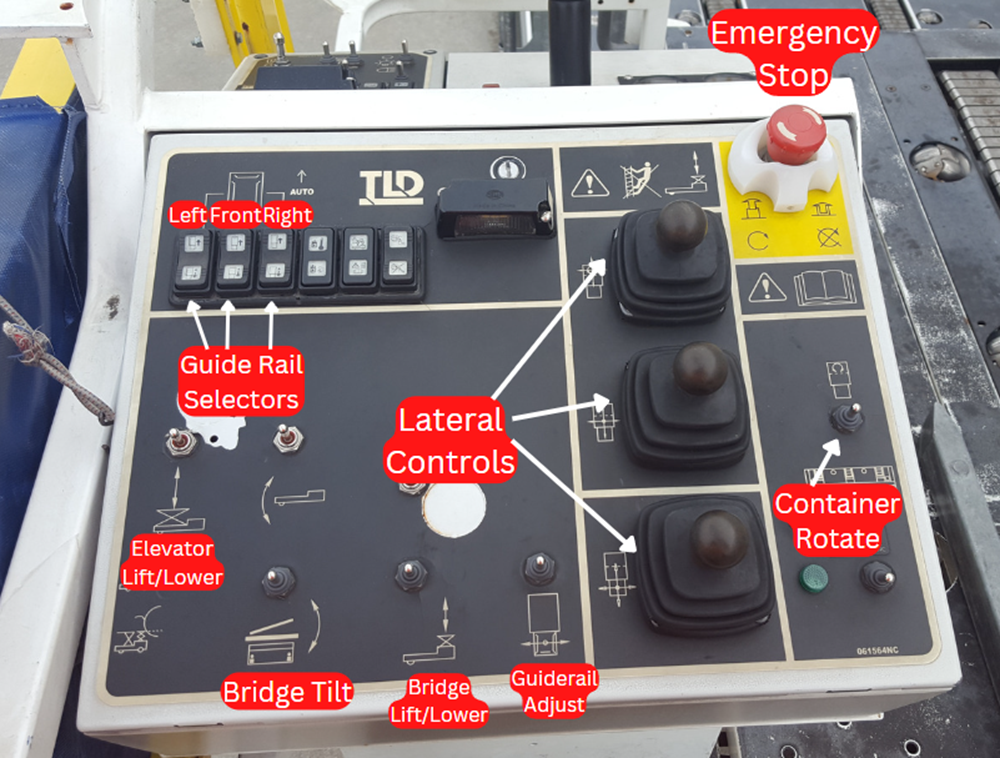
Controls
Cargo Loader Setup Video
Belt Loadersexpand_more
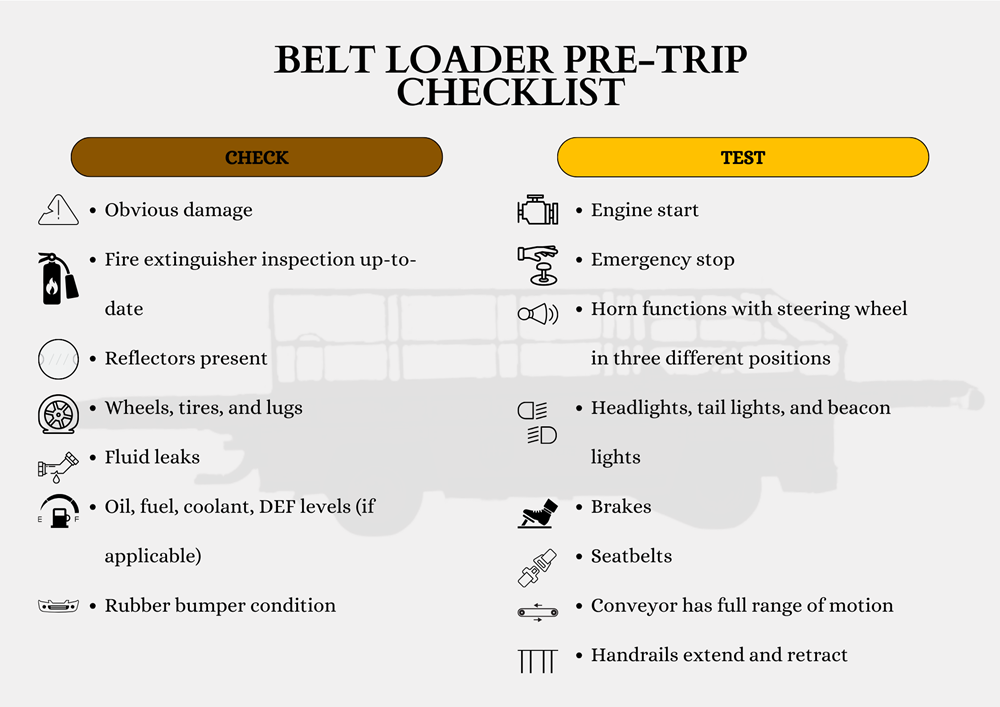
Pre-trip
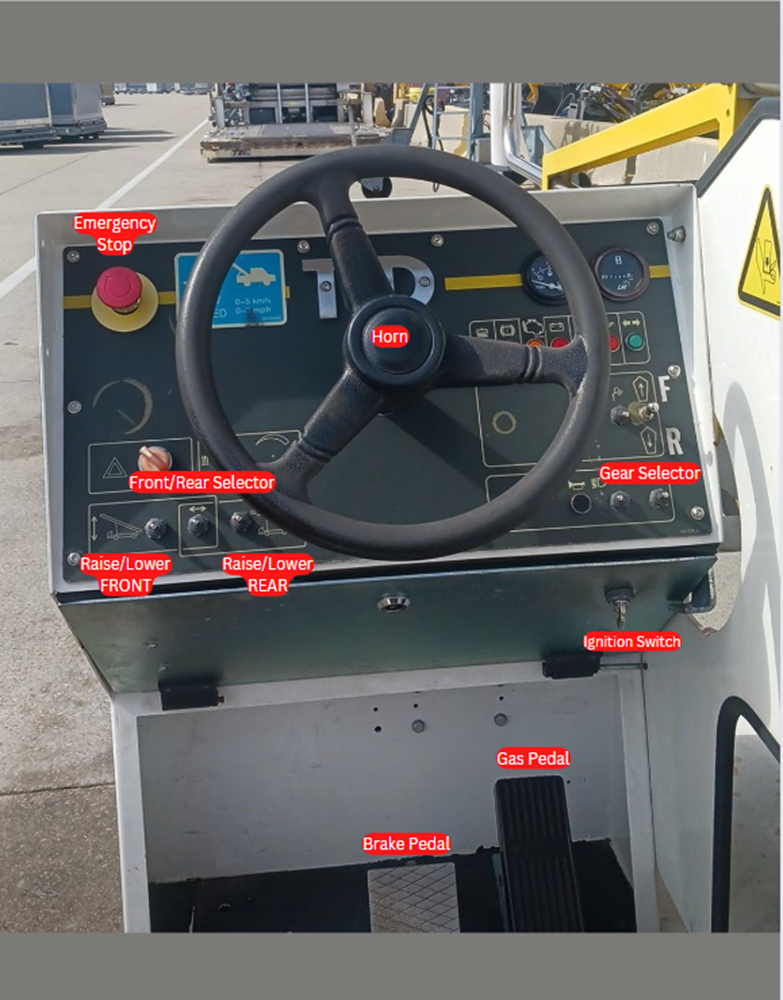
Controls
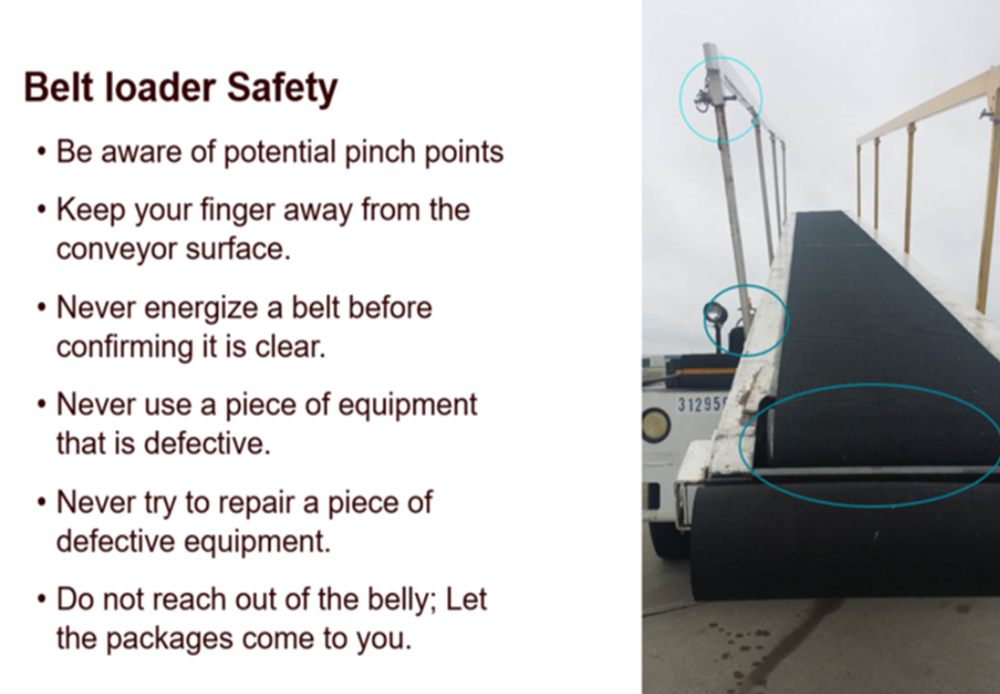
Safety
Wrap Up
- Ensure conveyor surface is off before securing the restraint nets.
- Personnel must walk down the conveyor surface to exit the aircraft.
- Personnel must lower both handrails.
- Personnel must remove chocks.
- Personnel must release parking brake.
- Using a GSE Guideman, back away from the aircraft approximately eight feet.
- At approximately eight feet, lower the conveyor surface to the fully-lowered position.
- Continue backing until the belt loader is outside the aircraft safety perimeter.
Admin Methods: Manifesting Containersexpand_more
1st check
ALP
- Verify new ULD has an "A" Airworthy Status Load Restriction Code & Dry Ice should be blank
- Orig/ Orig Sort-4009D(2DA)/4009N (1DA)
- Dest/ Dest Sort should match manifest
- Verify the Disposition Code for service levels
- 3DA = C, International = I or Postal = P
- Verify ULD has no discrepancies
HMMS
- Verify new ULD contains no dangerous goods = "container does not exist" message.
- Compare manifest to ALP, GSS scanner & ULD #
2nd check
- Close ULD on GSS scannner.
- On Manifest - Fill out percent, piece count & sealed by name
- Verify manitest matches ALP (percent, piece count, comments & SLIC)
International Manifest and DG Load Tag MUST be accompanied with a US. Customs sticker
Admin Methods: Hazmat/Dry Iceexpand_more
- Monitor eHUB for hazmat icon & Watch for DI (Dry Ice) packages
- Check and process harmats immediately
- Update/ View HMMS, eHub & ALP after processing DI and Hazmats
- An envelope MUST be present on the ULD when processing DI and Hazmats
- DI tracking form with ULD # and DI amount is required
- Verify all info on ULD Summary with Validation Sheet
- Print Load Tag and fill out correct container informaton
- Print 3 copies of the ULD Summary & have the LOADER sign first initial & last name on all 3 copies
- Place 2 ULD Summaries (2 shipper declarations for Canada) behind Load Tag in envelope & verify ULD # when placing paperwork on ULD
- Supervisor MUST initial and verify accurate DG paperwork
- After verifying information on Load Tag, close container on GSS scanner
- Complete second check by viewing all info in ALP